
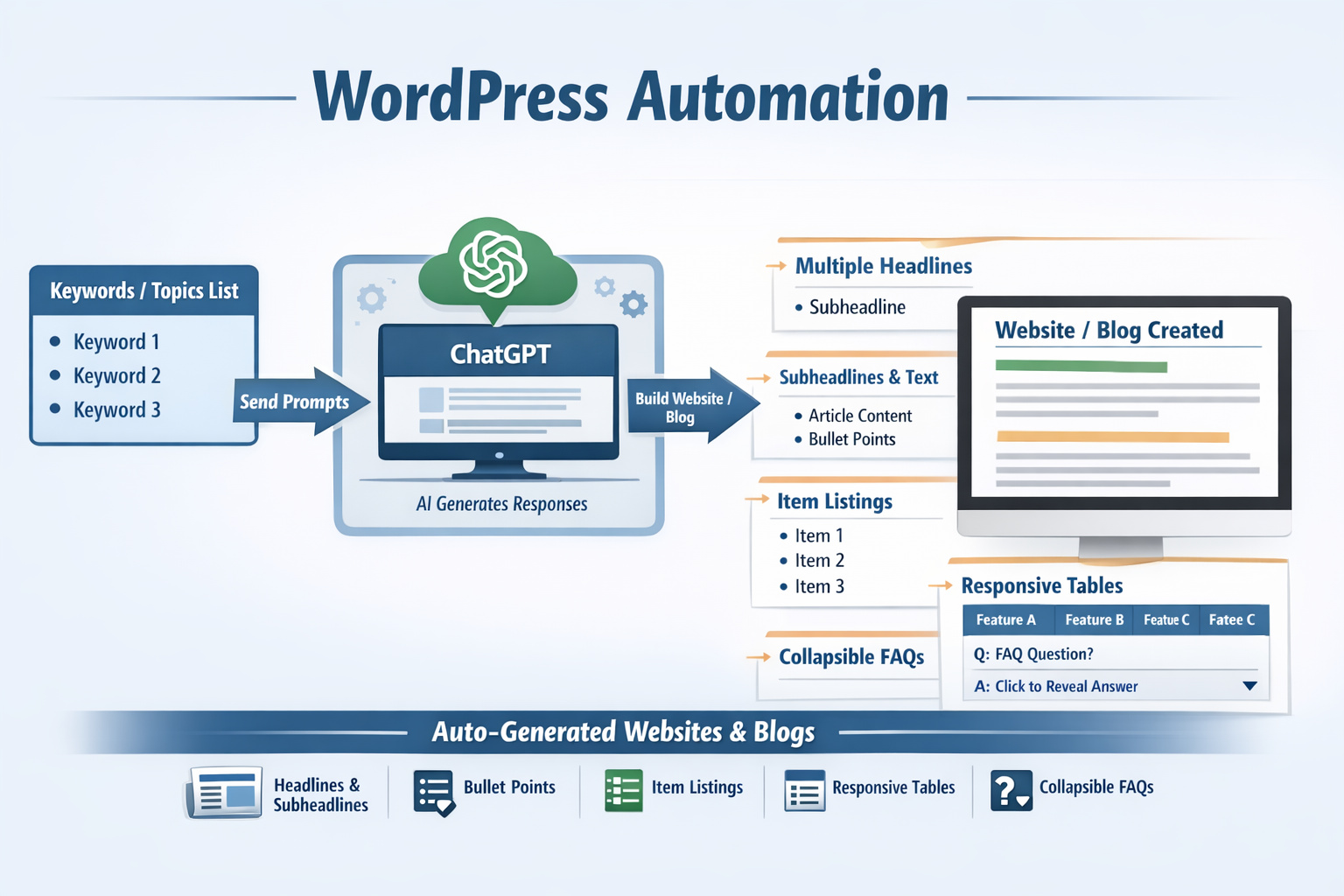
Self-hosted bloggers can use WordPress automation tools like this to turn keyword ideas into structured drafts without losing control over the final article. Instead of starting every post from zero, you can move from topic selection to a workable draft much faster, then spend your time on editing, polishing, and publishing. For affiliate marketers, niche site owners, and bloggers who want a steadier publishing rhythm, that means fewer half-finished posts and a clearer path from idea to live content through WordPress automation.
Many bloggers do not struggle with ideas. They struggle with the number of steps between an idea and a finished post. Research, outlines, draft writing, formatting, and final cleanup can easily slow down the week. This drag is reduced through WordPress automation by helping you create draft content around your keyword, shape the article with subheadlines, and prepare material that is easier to review. You stay in charge of quality, tone, and final approval, while the slowest drafting steps take less effort.
Why This Matters for Content Production
Content publishing becomes difficult when every article demands the same manual setup. You gather notes, look at the keyword, sketch a rough angle, write opening lines, break the text into sections, and only then start building something usable. That repeated setup work costs time on every post. With WordPress automation, the order of work changes. You start with a usable draft and improve it, instead of spending most of your time trying to begin.
This matters even more when the blog supports affiliate content, niche traffic, or regular search-focused publishing. A site grows when new articles continue to appear with a clear purpose and a clean structure. Consistency becomes much easier when the first version arrives faster and already contains meaningful sections. That is where WordPress automation becomes practical. The value is not in replacing judgment. The value is in reducing repetitive setup work so more ideas become finished posts.
Less Time Starting, More Time Editing
Most weak publishing routines fail at the starting point. A topic looks promising, but the draft never gets far enough to become useful. When you generate a structured first version, editing becomes a real task instead of a vague plan. You can tighten the intro, add product details, insert personal experience, and remove anything that does not fit your blog. That is a much better use of your time than staring at a blank editor.
How It Fits a Self-Hosted Workflow
Self-hosted blogs usually need more control than simple online writing apps provide. You may want to review copy outside the editor, match a niche site structure, or prepare several drafts before publishing any of them. That workflow is a strong fit for WordPress automation because it supports content creation around your own publishing process rather than forcing you into a generic writing routine. It works well for people who want faster output but still want to decide what goes live.
What Helps You Finish Faster
Speed matters, but only when the output is usable. A fast draft has little value if it arrives as a block of text that needs a full rewrite. The stronger approach is to create content that already looks like an article. Headings, subheadlines, and readable sections make it easier to judge the angle quickly. You can see whether the article answers the right question, whether the order makes sense, and where you need to add detail.
For cases where you already know the target keyword and want to build around it, WordPress automation is especially useful. Instead of manually sketching every section, you can start with a draft that reflects the topic and gives you something concrete to shape. That keeps the writing process moving and reduces the number of posts that get stuck in the early stage.
Drafts From Keywords Instead of Blank Pages
Keyword-based drafting solves a simple but expensive problem: many articles never become real articles because the opening stage takes too long. When you start from the keyword and generate a first version around that topic, you have something to review right away. That makes it easier to stay aligned with search intent, keep the article focused, and avoid wandering into unrelated sections.
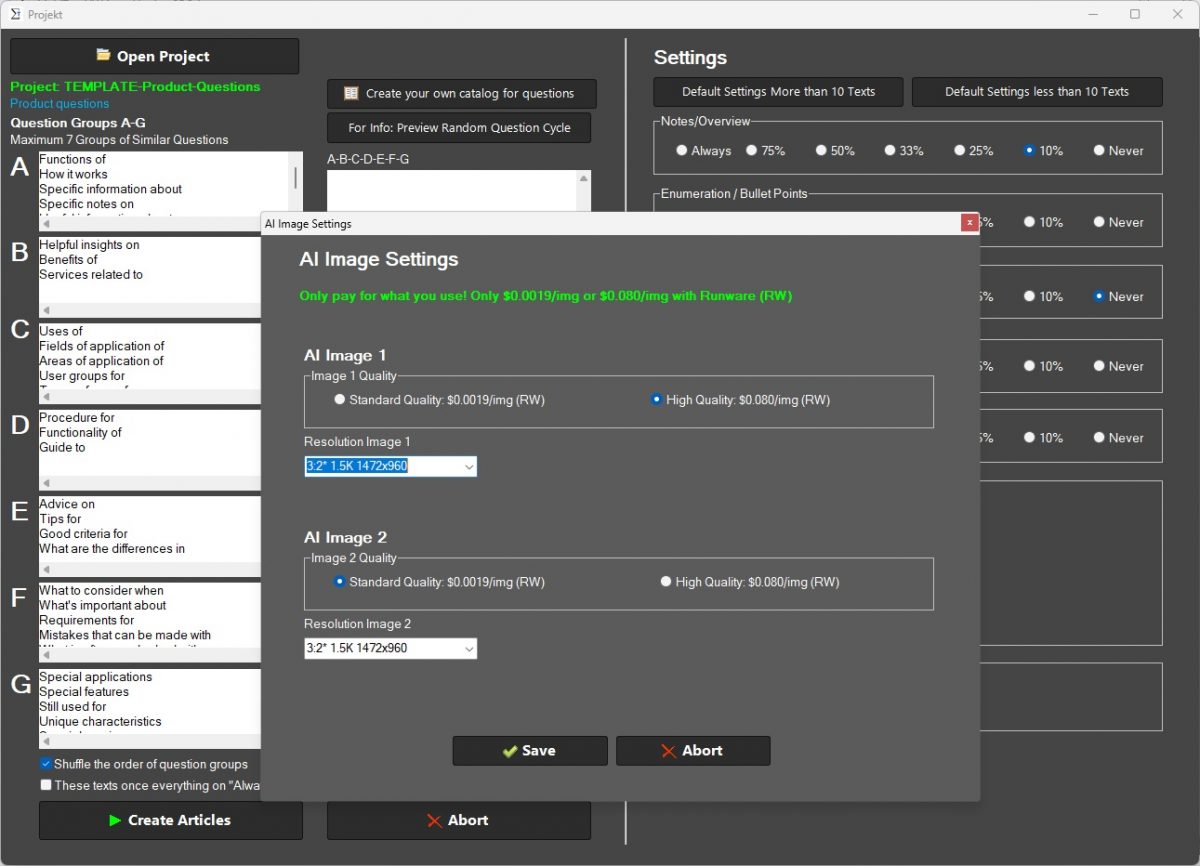
Support for Word Documents and Review
Not every draft goes straight into the WordPress editor. Some need offline editing, comments, or another pass before publishing. Creating Word documents adds a practical review step that fits many blogging workflows. You can save drafts, revise them outside the site, and return with a cleaner final version. The WordPress automation supports that process by helping you move from initial draft generation to an editable format without adding more manual work.
How It Supports Blog Growth
Growth usually comes from consistency, relevance, and a publishing routine that does not fall apart after a busy week. That is true for personal blogs, affiliate sites, and content-focused business websites. More finished drafts create more chances to publish useful content that answers search queries and builds topic coverage over time. The important point is not speed by itself. It is repeatable output.
A more repeatable output becomes easier with WordPress automation because the effort required to get a solid first draft is lower. When the writing workload feels lighter, it becomes easier to keep moving through your topic list. That supports a healthier content pipeline and makes it easier to keep a blog active without turning each post into a large writing project from start to finish.
More Consistency for Affiliate and Niche Sites
Affiliate marketers and niche bloggers usually benefit from publishing a steady stream of focused content. Product comparisons, informational articles, supporting guides, and answer-based posts all require time to plan and draft. When draft creation becomes easier, you can cover more relevant topics without lowering editorial standards. That is useful for blogs that depend on regular publishing to build search visibility and support related articles across the site.
Why It Works Well With Clear Subheadlines
Readers scan before they commit. Good subheadlines help them find the answer faster and understand the shape of the post. They also make editing easier because each section has a clear role. Readability is supported by WordPress automation through a structure that feels closer to a finished article than a raw text dump. You can keep the best sections, rewrite the weak ones, and shape the final result with less friction.
Who Should Use It
This type of software is a strong fit for self-hosted WordPress users who publish regularly or want to publish more consistently. Bloggers managing their own editorial calendar, affiliate marketers building search-focused posts, and site owners creating content around specific keywords can all benefit from a tool that makes drafting faster and more organized. The closer your workflow is to keyword planning, article production, and regular publishing, the more useful this process becomes.
It is less suitable for anyone expecting a fully hands-off system that removes the need for review. Good content still needs judgment. Facts need checking. Tone needs adjustment. The final version should reflect your standards, not just a generated draft. The strongest use case is a writer or site owner who wants to reduce first-draft effort while keeping final control.
Best Fit for Self-Hosted WordPress Users
Self-hosted WordPress users usually care about flexibility, control, and the ability to manage content on their own terms. They may work across multiple blogs, publish for different niches, or build affiliate sites where article volume matters. A tool designed around that environment feels more relevant than a generic AI writer because the workflow starts from real blog tasks instead of abstract writing prompts.
When It Should Still Be Reviewed by a Human
Faster drafting can help, but final review still matters. Product claims, legal topics, financial advice, medical information, and any experience-based recommendations need careful editing. Even simple blog posts benefit from a human pass that improves clarity and adds a distinct voice. A smart workflow is to let the software handle the first version, then refine the article until it sounds like your site and matches your standards through WordPress automation.
Everyday Publishing Tasks
Blogging is rarely slowed down by one giant problem. More often, it is slowed down by a series of small tasks that keep stacking up. You need a title angle, a clean opening, section breaks, useful subheadlines, and a version that is easy to edit. These tasks are manageable one by one, but together they create delay. A better workflow reduces the number of separate starts inside one article.
That kind of workflow is supported by WordPress automation because it connects the pieces that usually stay disconnected. You begin with a topic or keyword, move into a structured draft, and continue into revision with less setup. That helps bloggers stay productive without turning every post into a long manual process.
Topic Planning, Drafting, and Revision
A practical writing process usually starts with a topic list, then moves into draft creation and revision. Problems appear when the transition between those stages is too slow. Topic planning produces ideas, but ideas alone do not publish. Drafting produces text, but unstructured text still takes work to shape. A tool that turns topics into a first article version helps close the gap between planning and publication.
How You Keep Editorial Control
Speed is useful only when you keep control over the outcome. WordPress automation helps with the heavy lifting at the start, but you still decide what stays, what changes, and what gets published. That makes it easier to maintain a consistent voice across your blog. You are not handing over judgment. You are removing repetitive drafting work so your editing time produces a stronger final article.
What You Get With This Software
The real payoff is simple: more usable drafts, less setup work, and a smoother path to publication. That can mean covering more keywords in your niche, keeping a content schedule active, or finally working through a backlog of article ideas that never got written. For many bloggers, the biggest value is momentum. It becomes easier to move forward because the first version already exists.
A more stable writing process is another benefit of WordPress automation software. Instead of depending on large blocks of uninterrupted writing time, you can generate a draft, review one section at a time, and improve it in smaller sessions. That fits real publishing habits much better than waiting for the perfect time to write every article from nothing.
Faster First Drafts
First drafts are where many content plans stall. Once a draft exists, the rest of the work becomes more concrete. You can improve logic, shorten sections, add examples, and match the article to your niche. Faster first drafts mean more articles reach the stage where they can actually be finished.
What It Produces in a Structured Article
Structured output matters because articles need to be readable before they can be useful. It helps produce sections, subheadlines, and a cleaner flow that is easier to edit than a single large block of text. WordPress automation makes the review stage shorter and makes it easier to turn the draft into something that fits your site, your audience, and your topic focus.
FAQs About WordPress Automation
How can WordPress automation support a regular publishing schedule?
Is WordPress automation helpful when managing many article ideas at once?
Why do bloggers use WordPress automation instead of writing every post from scratch?
Can WordPress automation make topic-based content planning easier?
For self-hosted bloggers who want a faster path from keyword to publishable draft, this workflow becomes more practical with WordPress automation. You get a first version faster, keep control over the final wording, and make regular publishing easier to maintain without turning every article into a long manual project.